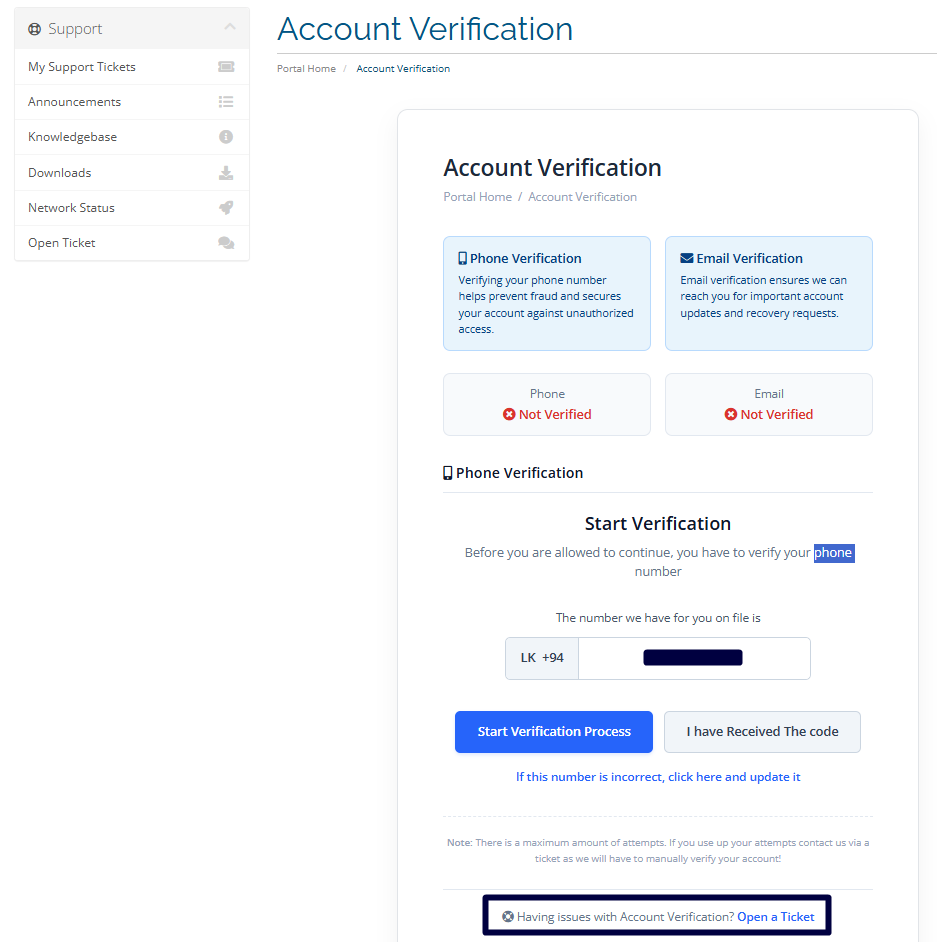
Verify Your Phone Number and Email Address : Client Area Guide
Contact Information Verification
To help keep your account secure and ensure that important notifications are delivered to the correct recipient, please verify your contact information.
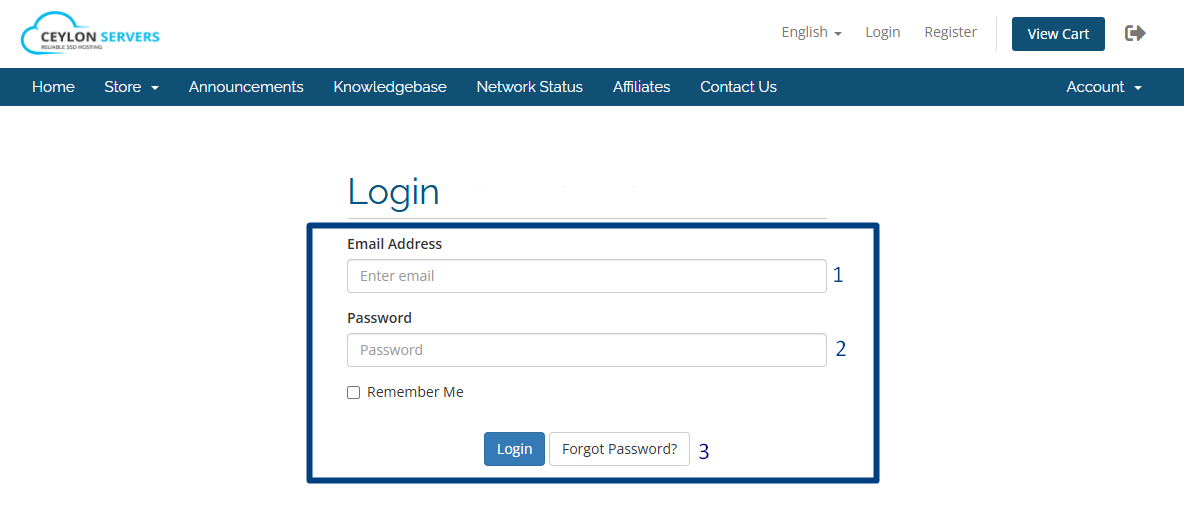
Step 1: Sign In
Log in to your Client Area to begin the verification process.
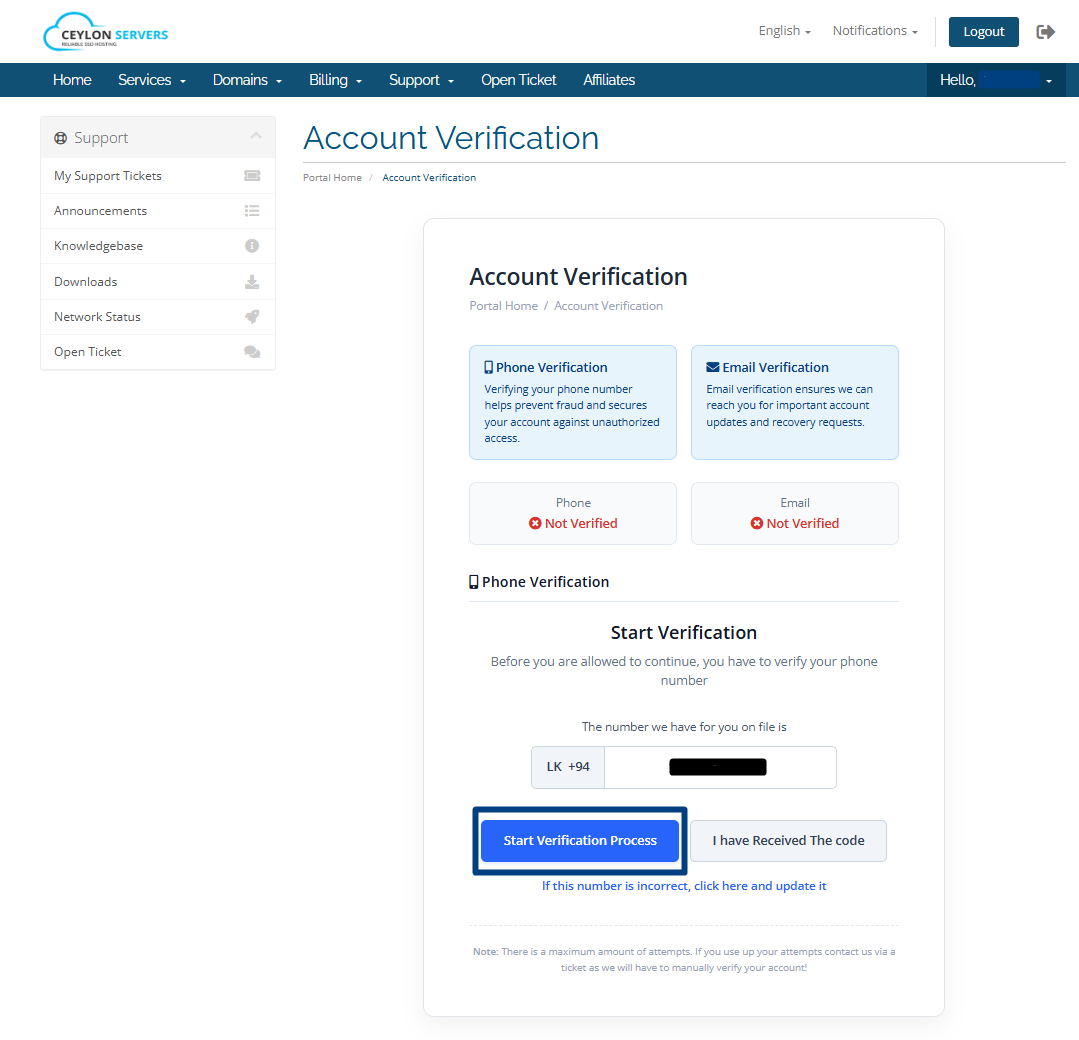
Step 2: Verify Your Phone Number
1. Check that your phone number is correct.
2. Click "Start Verification Process"
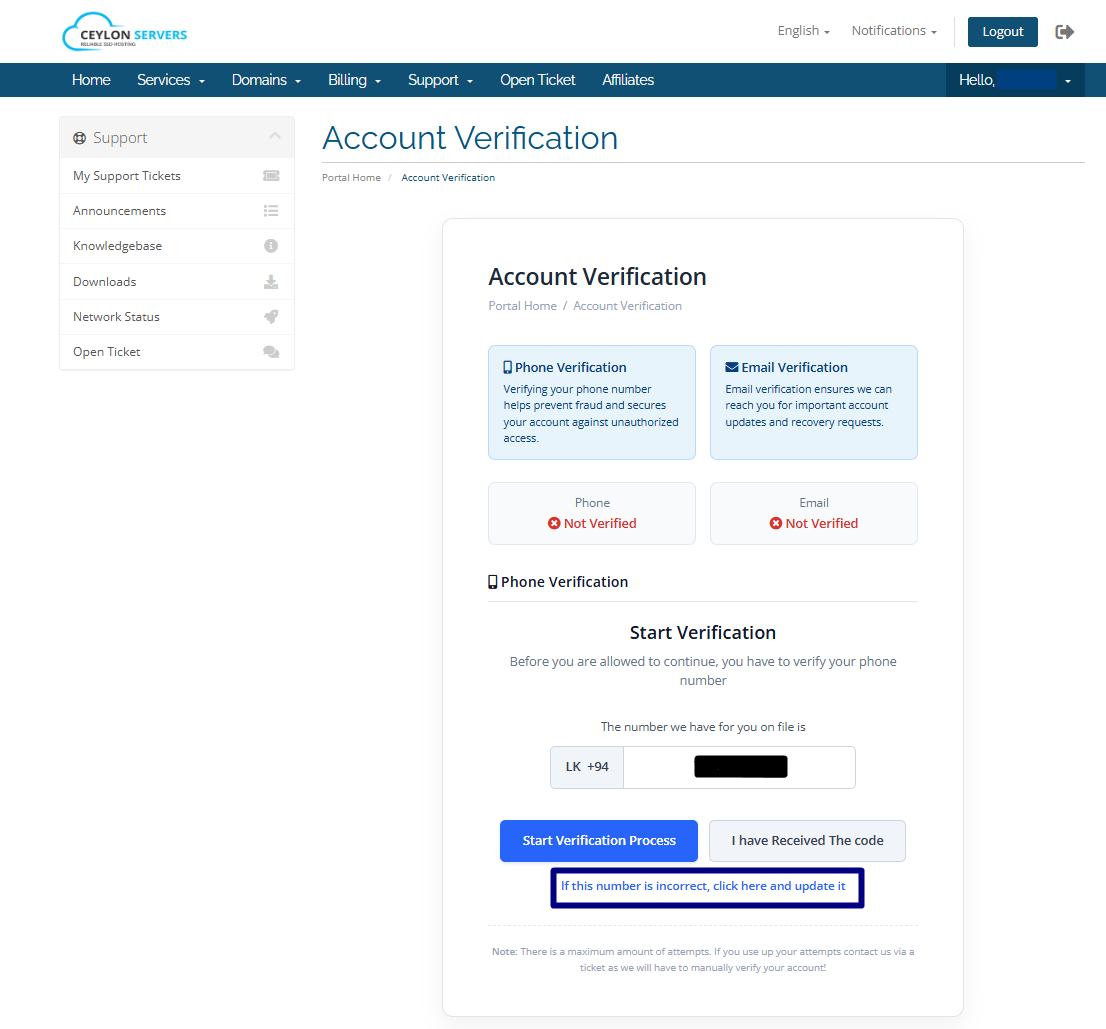
Note: If your number is incorrect, please use the option below and update your new phone number.
3. Enter the OTP (One-Time Password) sent to your phone.
4. Click "Confirm Code".
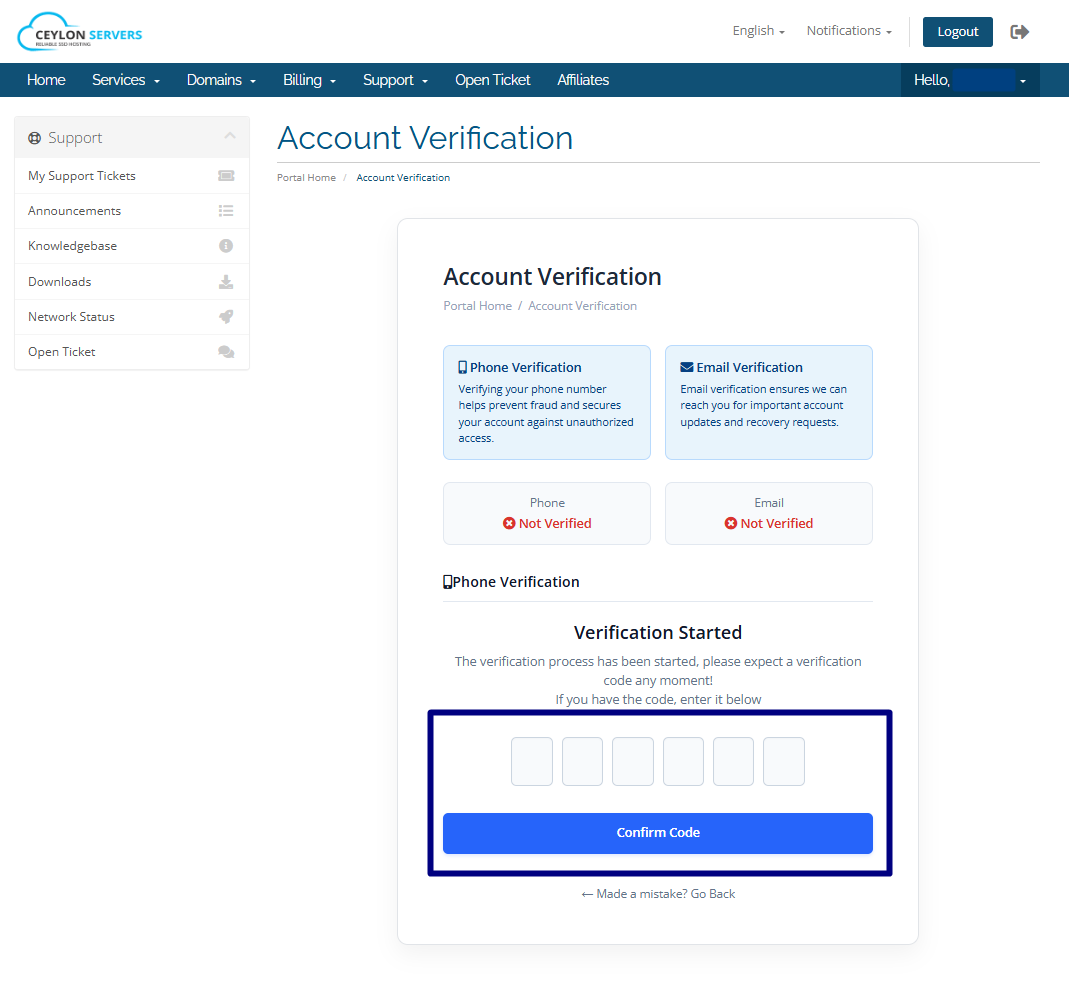 5. Once the verification is successful, a green checkmark will appear next to your phone number.
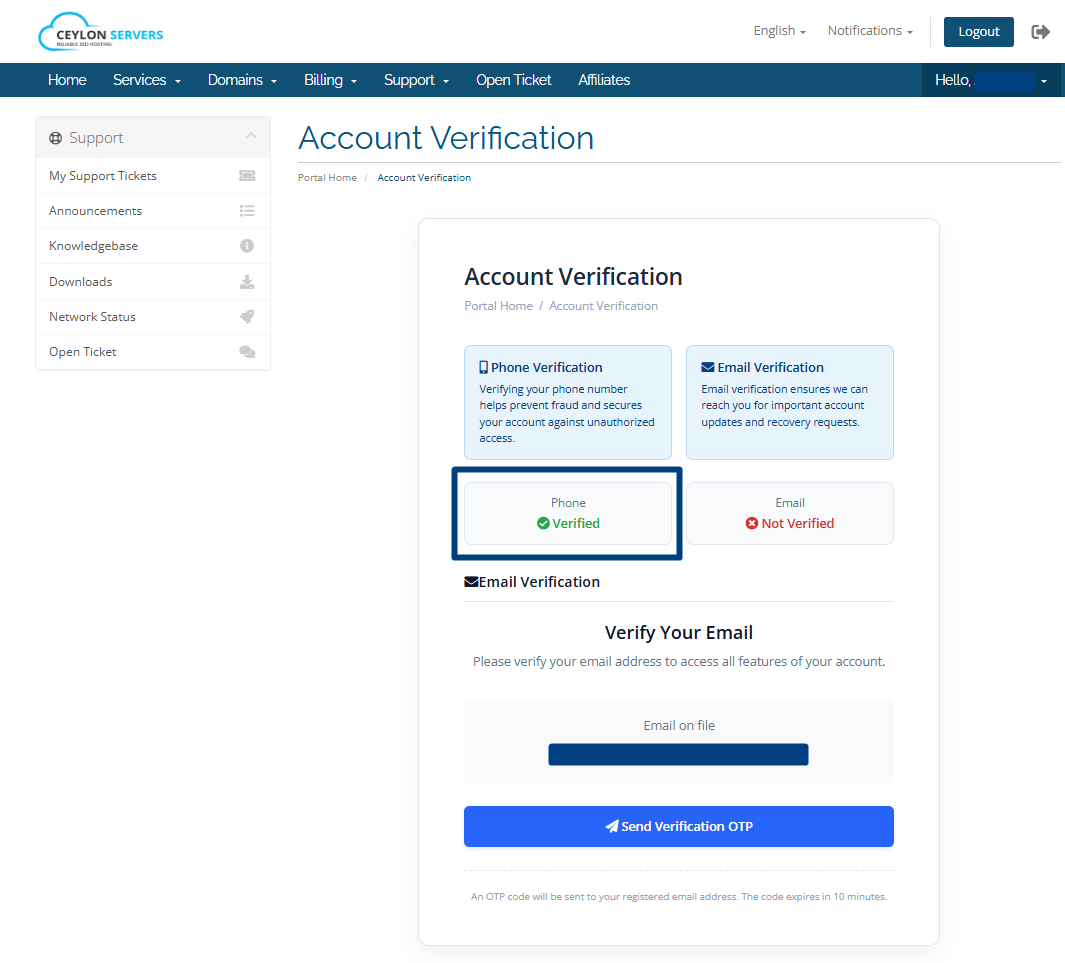
Step 3: Verify Your Email Address
1. Locate your email address in the Client Area.
2. Click "Send Verification OTP".
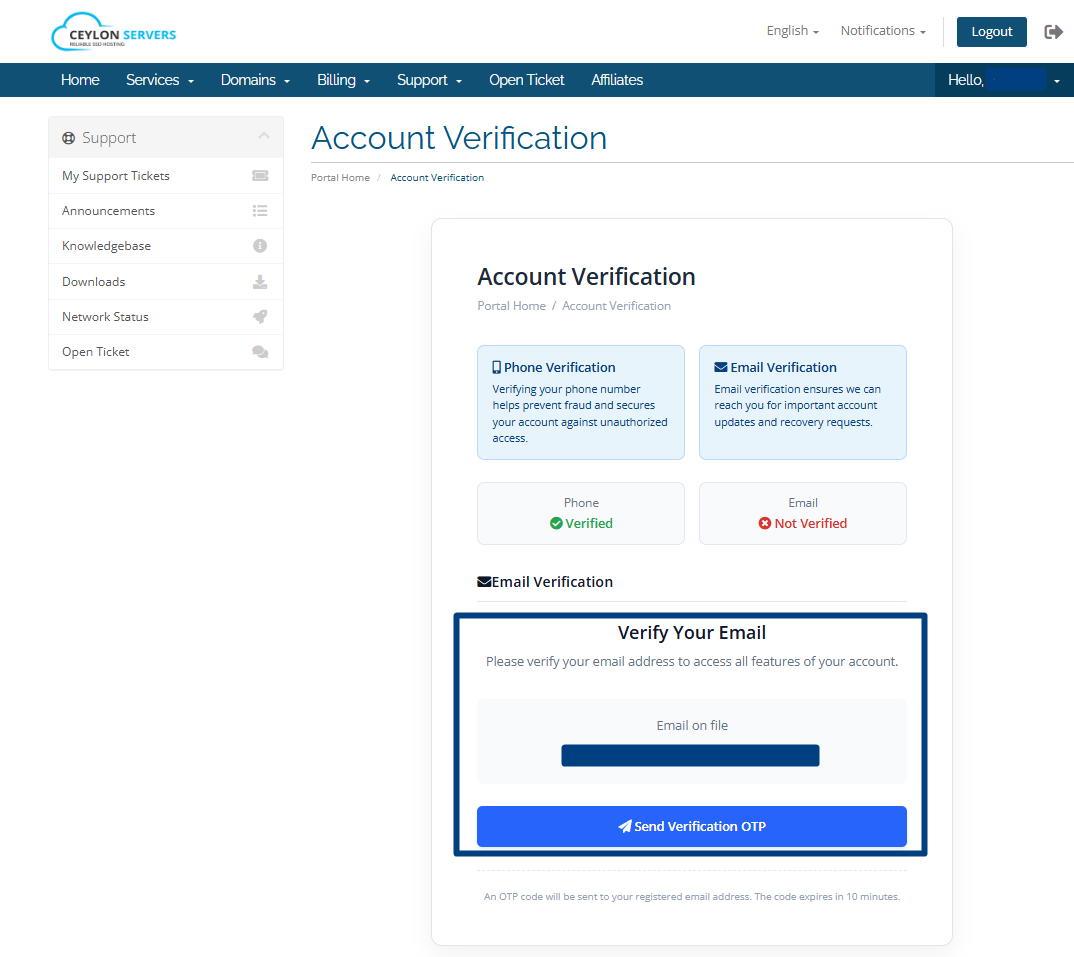
3. Enter the verification code received in your email.
4. Click "Verify Email".
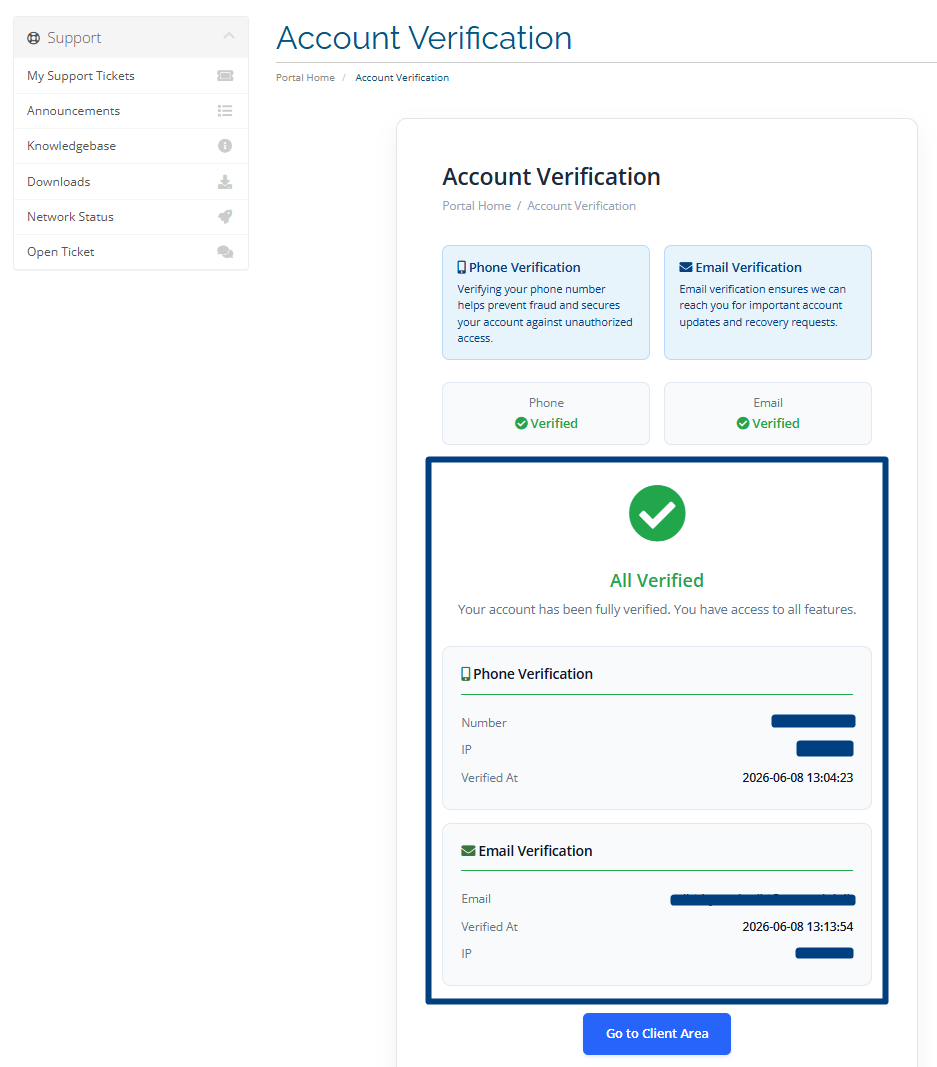
5. After successful verification, your email status will be updated and displayed on the screen.
6. If you have any questions regarding this verification process, please contact us.
- Hotline: 0740 707 808
- Open a Support Ticket