
Step-by-step guide to register or transfer an .COM domain.
Whether you are starting a new project or moving an existing one to Ceylon Servers, managing your .COM Domain is a simple process.
Section 1: How to Register a New .COM Domain
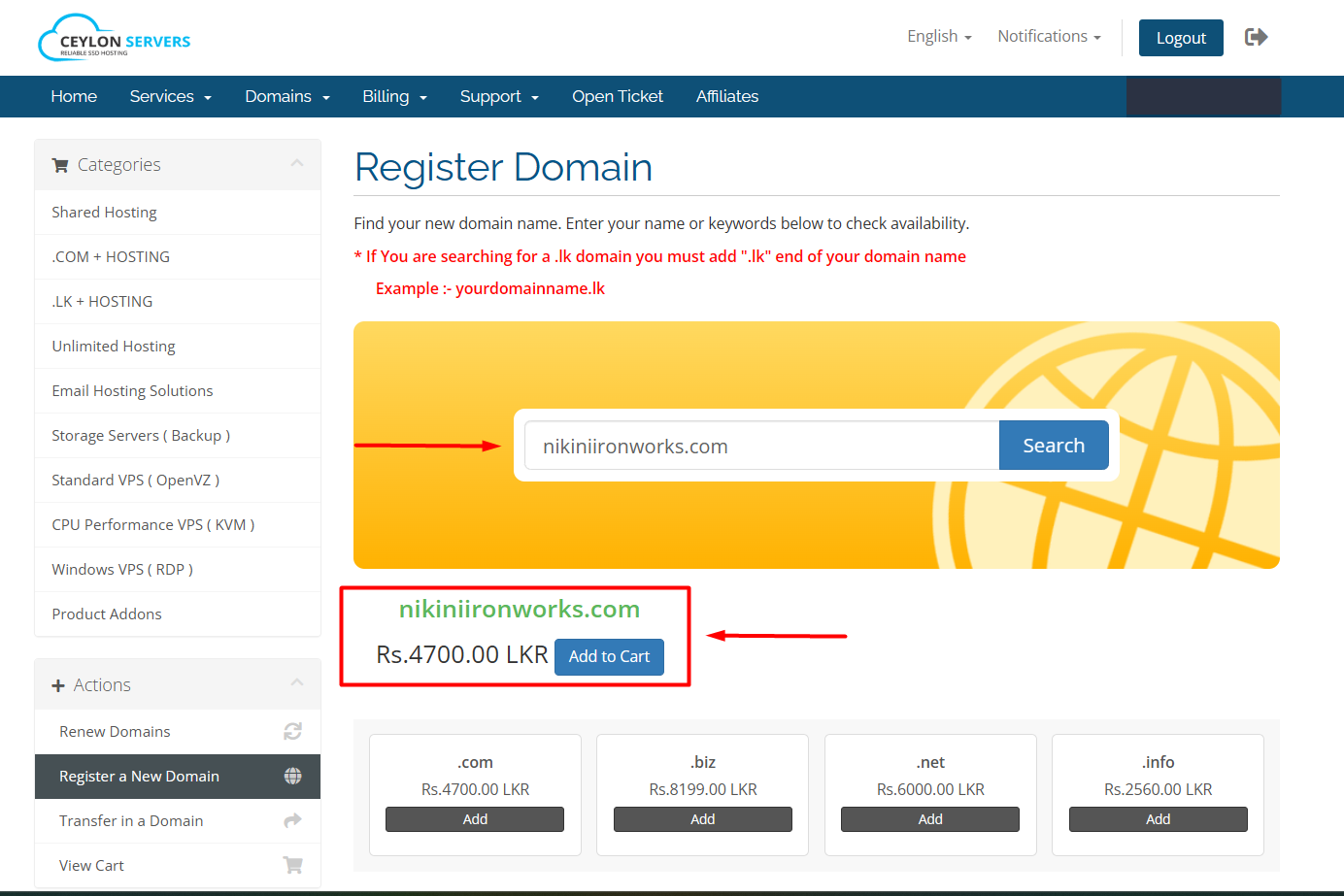
- Visit the Domain Portal: Go to the Ceylon Servers Domain Registration page.
- Search for Your Name: Enter your desired website name in the search bar and select the .com extension.
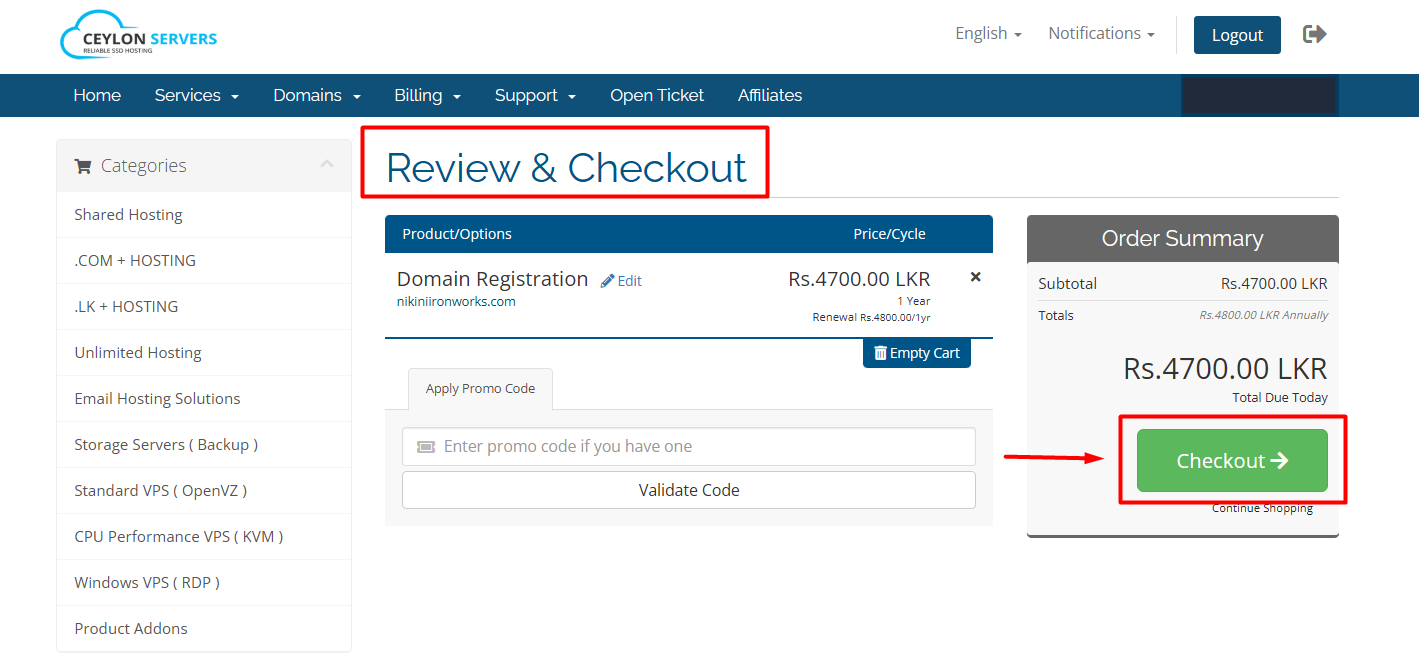
- Check Availability: If the domain is available, click "Add to Cart" and proceed to "Checkout".
- Configure Options: You can choose to add ID Protection (to hide your personal contact details from the public WHOIS database).
.png)
- Enter Contact Details: Provide accurate registrant information (Name, Address, Email).
- Complete Payment: Select your preferred payment method (Online Card, Bank Transfer, or Account Credit).
- Success: After doing payment, your .COM domain will be registered successfully. You will receive a confirmation email with your domain details shortly.
Section 2: How to Transfer a .COM Domain to CeylonServers
Transferring your domain allows you to manage your hosting and domain in one place.
Before You Start (At your current registrar):
- Unlock the Domain: Ensure the "Registrar Lock" or "Transfer Lock" is turned OFF.
- Get the EPP Code: Request the EPP/Authorization Code from your current provider.
- Check Eligibility: Your domain must have been registered for at least 60 days to be eligible for transfer.
The Transfer Process:
- Submit Transfer Request: Go to the Transfer section in the Ceylon Servers Portal.
- Enter Domain & EPP: Provide the domain name and the EPP code you obtained.
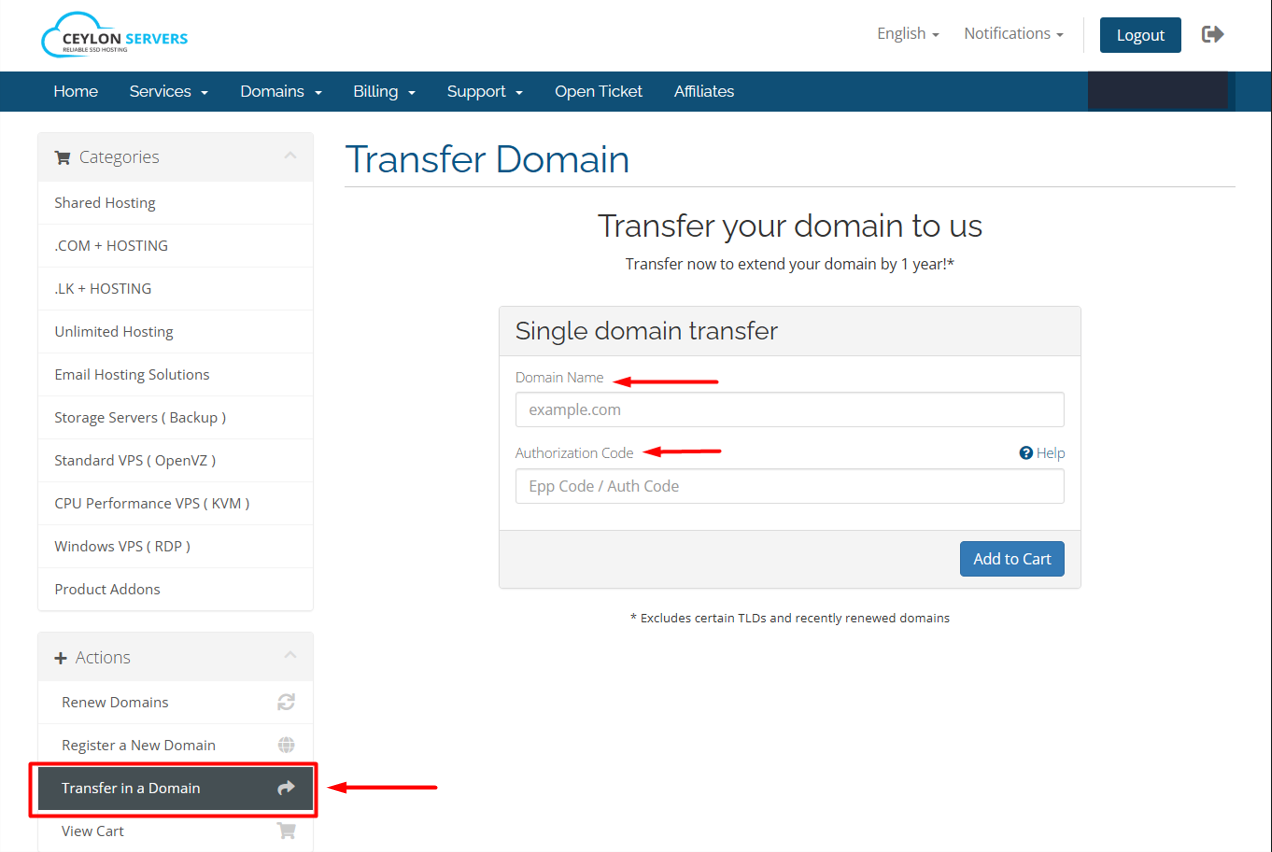
- Pay for Transfer: Transfers usually include a 1-year renewal added to your current expiration date.
- Confirm via Email: You will receive a transfer authorization email. Click "Approve" to begin the move.
- Wait for Completion: .COM transfers usually take 5 to 7 business days to complete.
Pro-Tips for Domain Owners
- Auto-Renew: Enable auto-renewal in your dashboard to prevent your domain from expiring and being bought by someone else.
- ID Protection: Highly recommended for .COM domains to prevent spam calls and emails.
- Manage DNS: Once your domain is with CeylonServers, you can easily manageNameserver records through our dashboard.
Check about Managing custom DNS records: Click Here
Have questions about a transfer? If you encounter an error with your EPP code or your domain is stuck in "Pending," please open a Support Ticket so our team can assist you.