
International Domain Ordering Process
Looking to register your new international domain? We've got you covered! Here is a simple, step-by-step walkthrough description to guide you through the entire ordering process on our platform—from searching for your perfect domain name to successfully completing your payment.
Let's get started:
Step 1: Visit https://www.ceylonservers.com/
Step 2: Select Domains –> Domains –> Domain Search
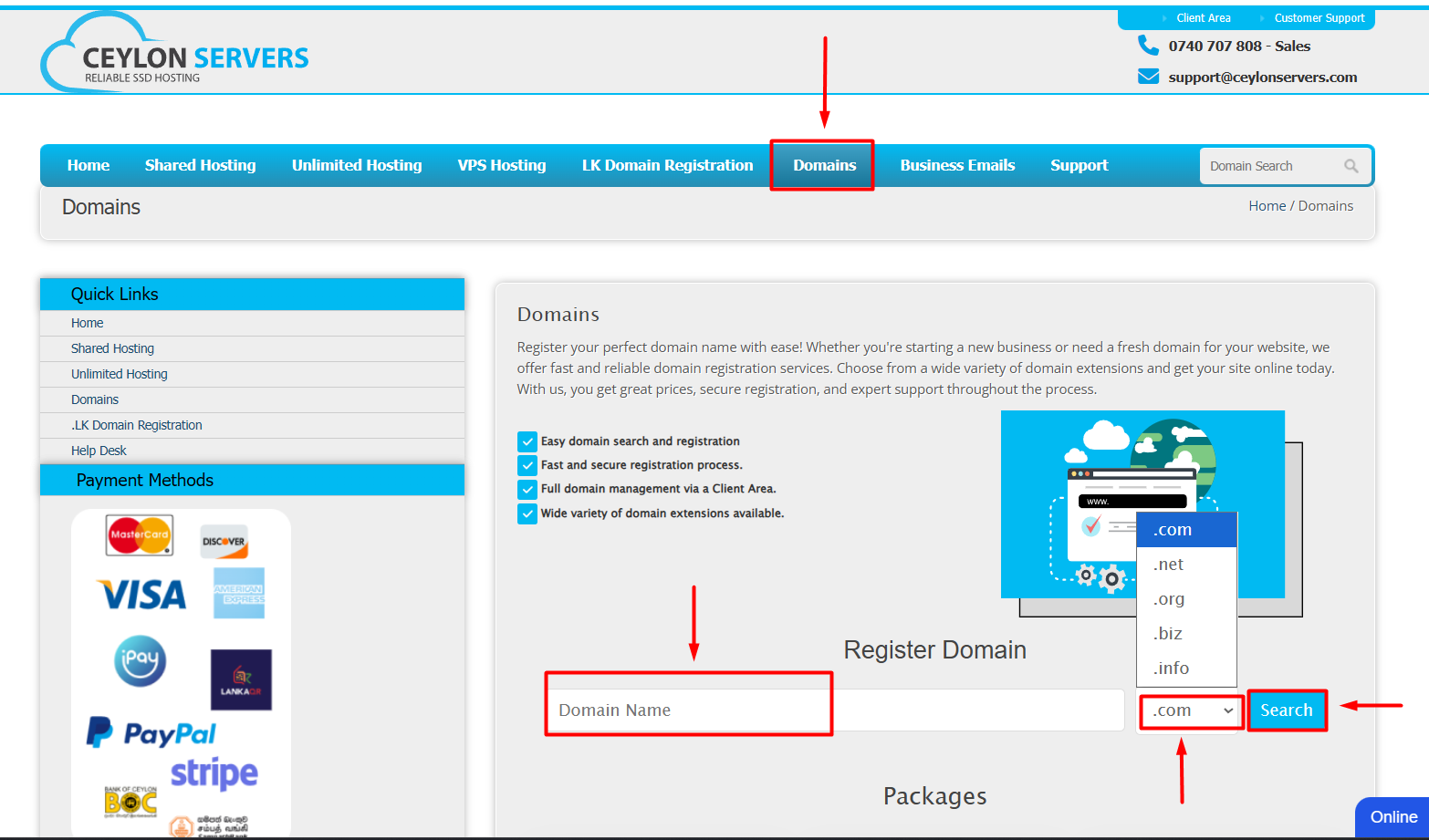
Step 3: Search Domain Name
- Enter the domain name without spaces.
- By clicking dropdown you can select TLD that you want.
- Then you can search the domain name is available by clicking SEARCH
- If the domain name is available you can add it cart by clicking Add cart
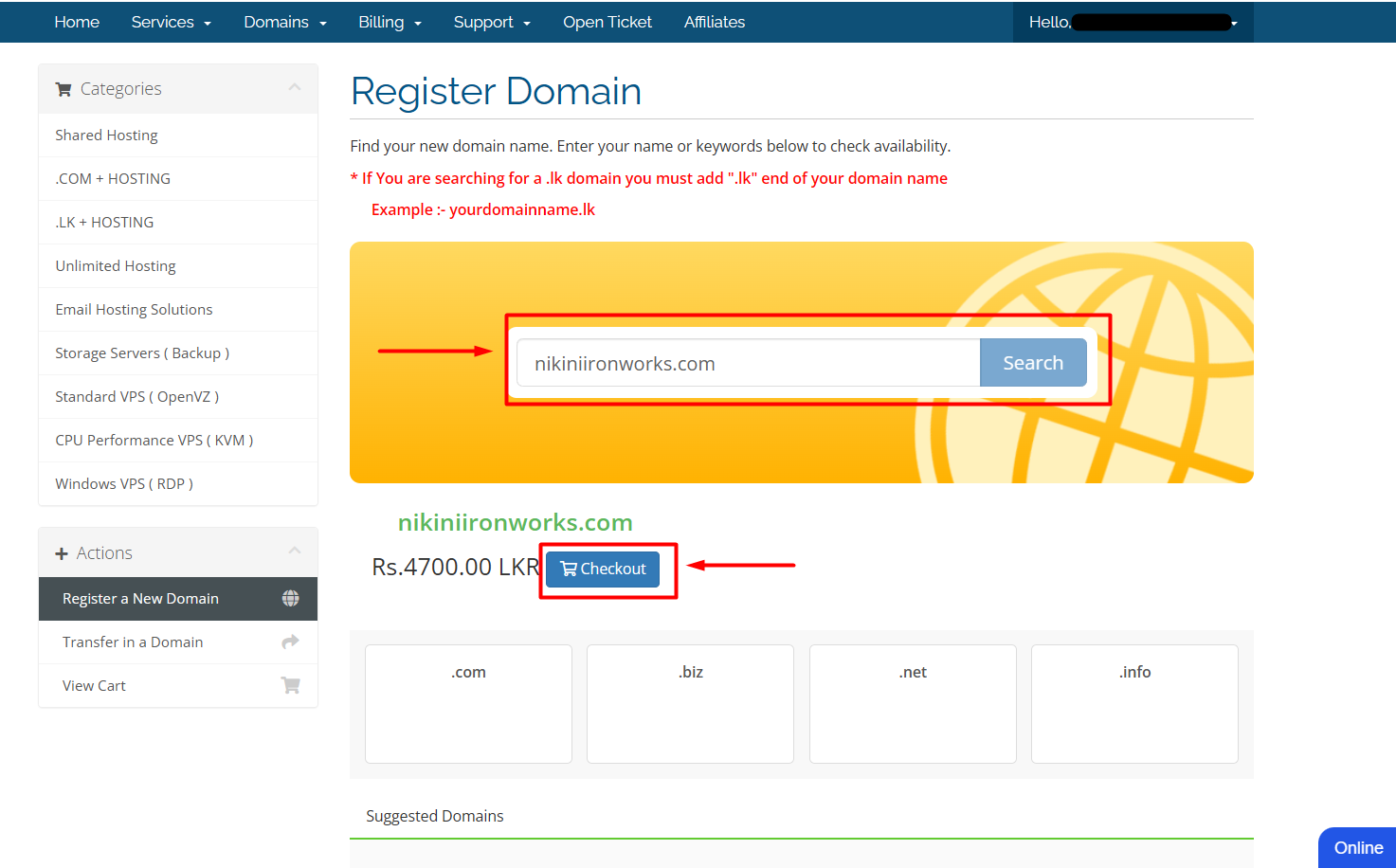
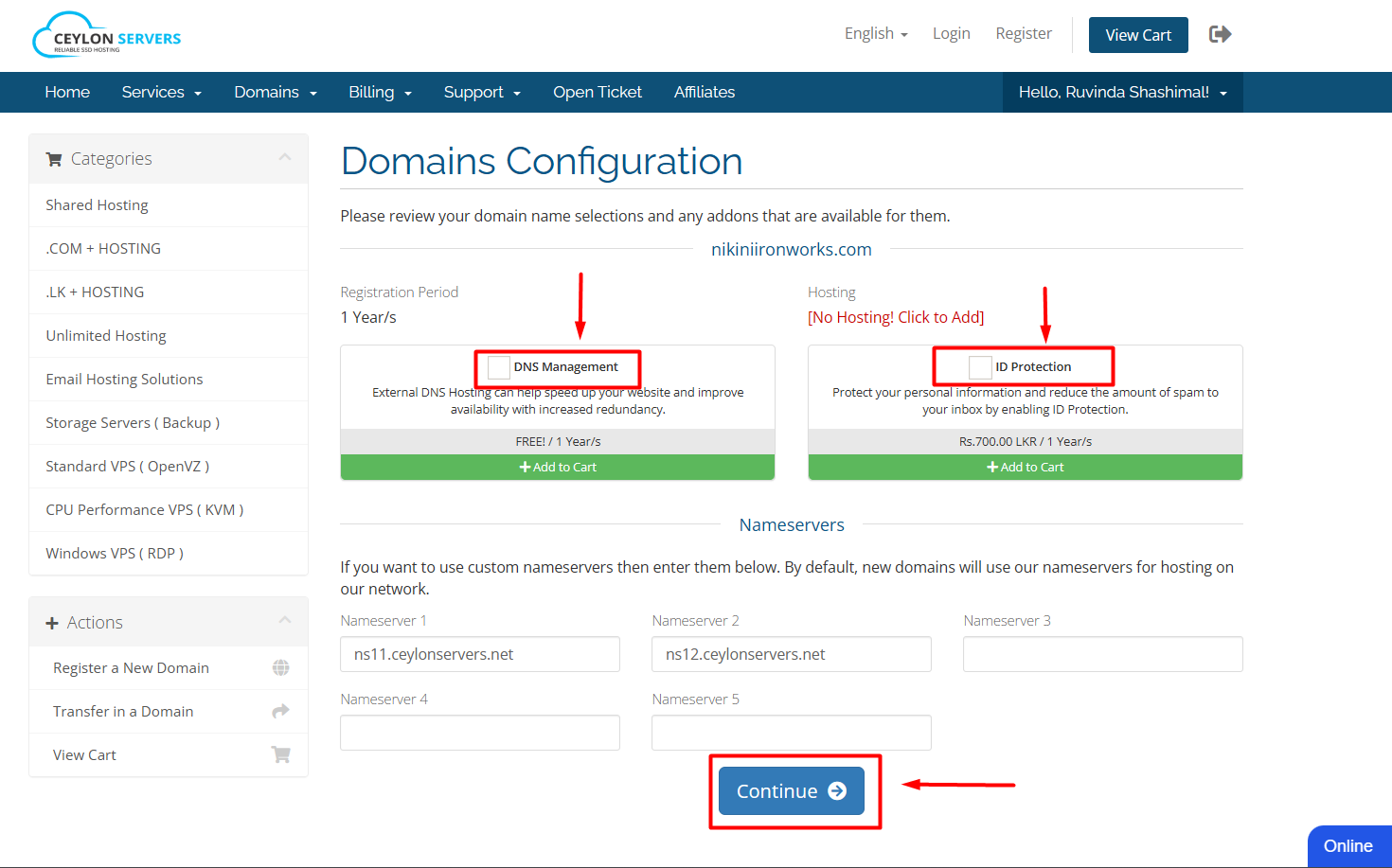
Step 4: Domain Configuration
- Select the requirements based on your needs.
- If you want to buy only domain, you can put the tick to Domain only check box.
- If you want to buy also hosting package, you can select it now.
- If you add your Nameservers you can do it now or later.
- After you can click Continue button and move on.
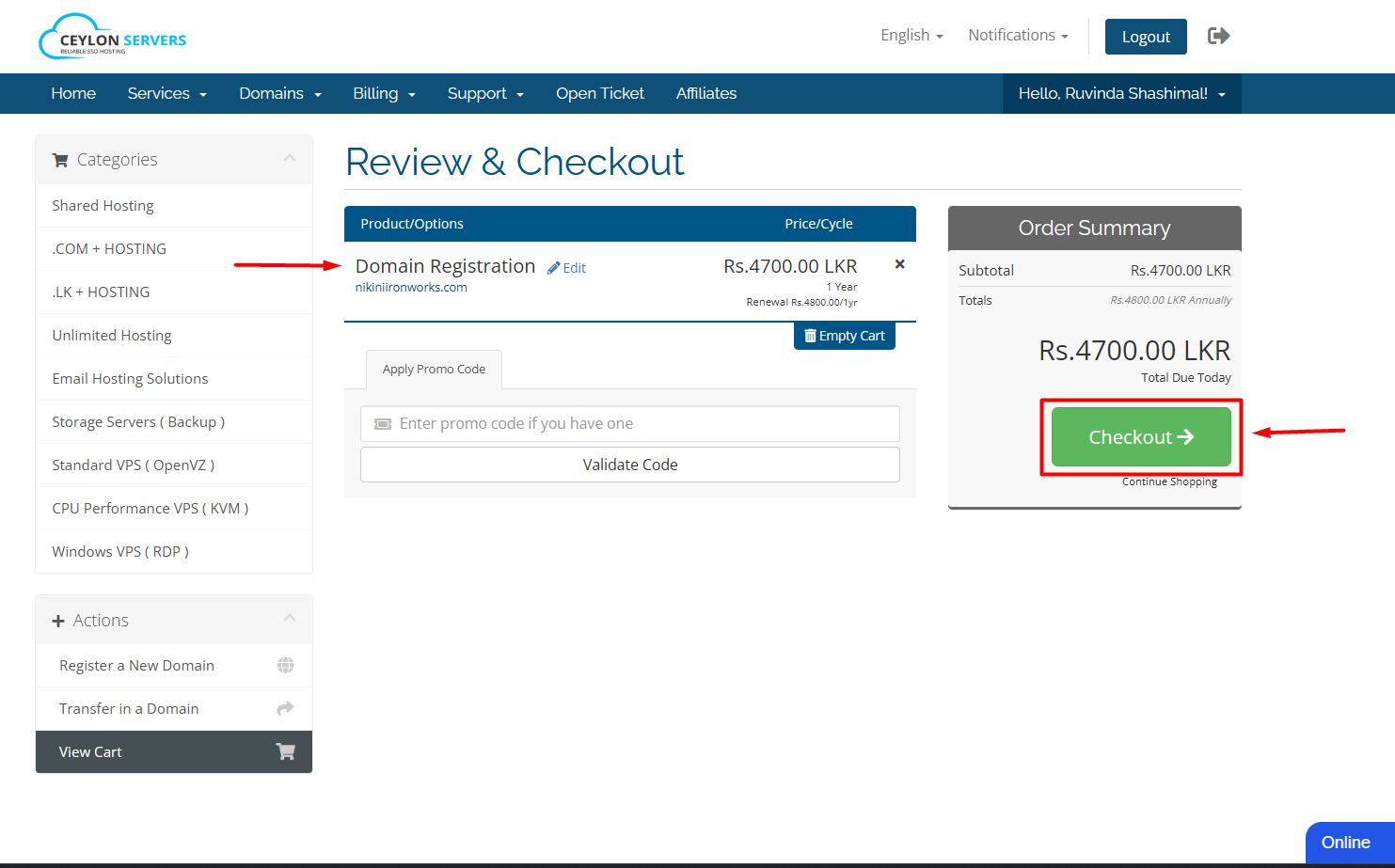
Step 5: Review & Checkout
- If you want to change the package requirements please click the Edit button.
- After checking your package details, now you can Checkout.
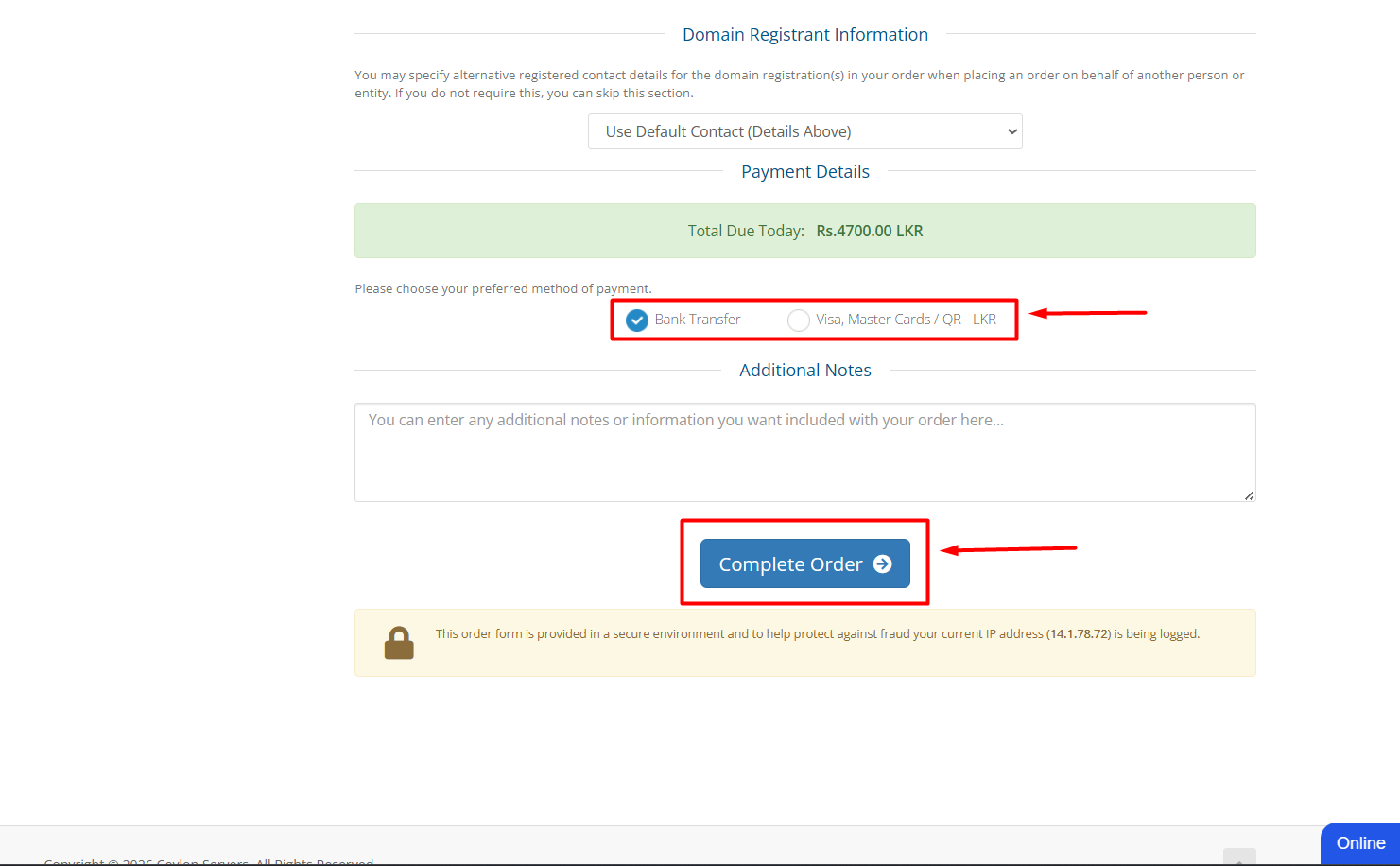
Step 6: Complete the order.
- Choose your account or create new account
- Select a payment option.
- Read and tick the checkbox I have read and agree to the Terms of service.
- Click Complete Order button.
Please Note: Should you require any technical assistance or encounter any issues during the order process, please do not hesitate to open a support ticket. Our technical team is always ready to assist you.