How to Update Nameservers for a .LK Domain
If you have registered a .LK Domain and want to connect it to your web hosting, you need to update its Nameservers. Follow this simple guide to complete the process via the Ceylon Servers Client Dashboard.
Prerequisites
- Your domain must be active.
- You must have the nameserver details provided by your hosting provider (e.g.: ns1.ceylonservers.com and ns2.ceylonservers.com).
Step 1: Log in to your Client Portal
First, visit the Ceylon Servers Client Dashboard and log in using your registered email address and password.
Tip: If you haven't enabled it yet, we recommend setting up 2FA for extra security.
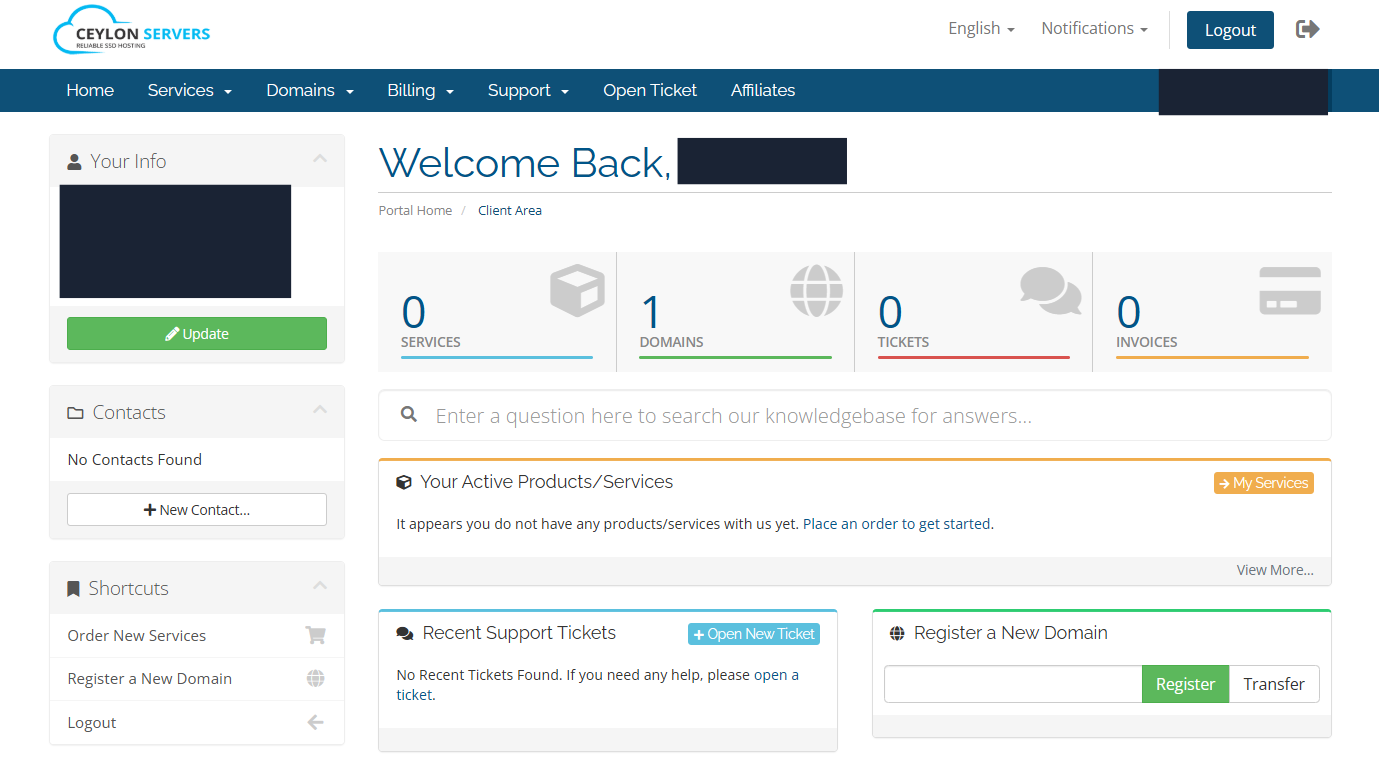
Step 2: Navigate to Domains
Once logged in, click on the "Domains" section or the "My Domains" tab on the main dashboard to see a list of your registered domains.
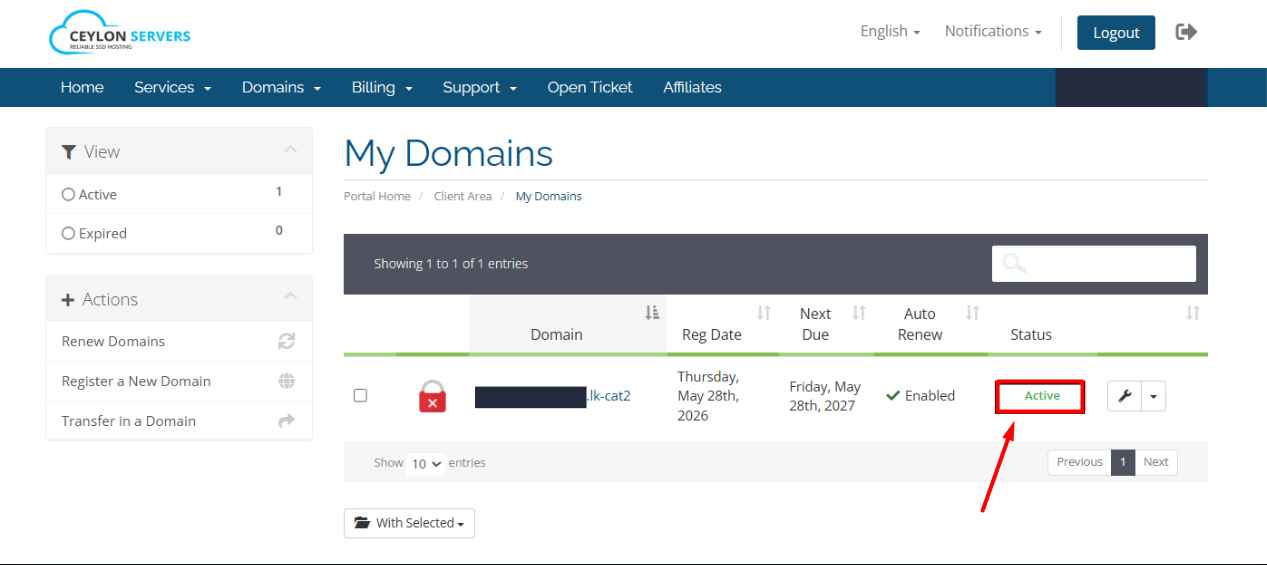
Step 3: Select Your .LK Domain
Find the .LK domain you wish to update and click on the "Active" button or the Wrench icon next to it.
Step 4: Access Nameserver Settings
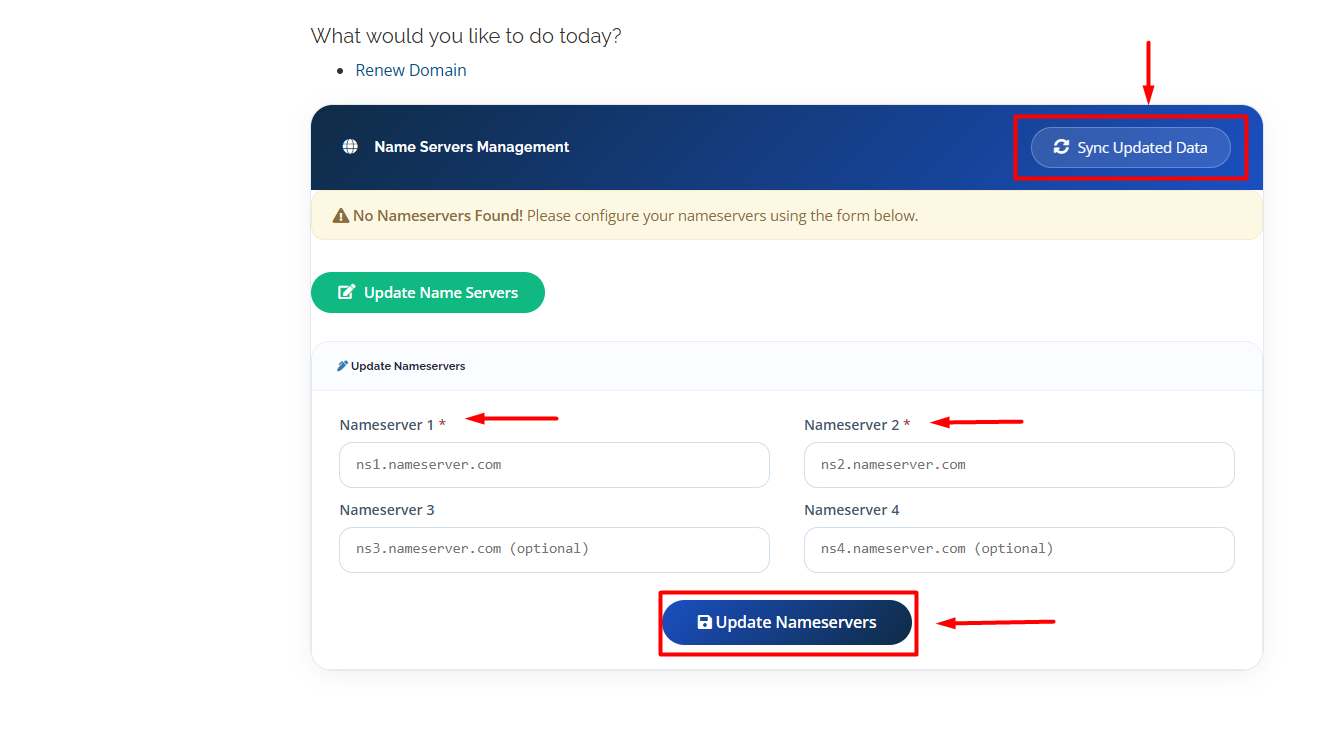
Once you are on the Domain Overview page for your selected .LK domain, simply scroll down toward the bottom of the page. You will see a dedicated section for Nameservers where you can manage your settings directly.
Step 5: Enter New Nameservers
Select the option "Use custom nameservers (enter below)". Enter your nameservers in the fields provided:
- Nameserver 1: (e.g: ns1.yourprovider.com)
- Nameserver 2: (e.g: ns2.yourprovider.com)
Step 6: Save Changes
Click the "Change Nameservers" button to save your updates.
Important Note on Propagation
Nameserver changes for .LK domains are not instant. It usually takes 2 to 24 hours for the changes to take effect globally across all internet service providers.
Conclusion
- Changing your nameservers might seem a bit technical, but using these steps, it can be completed quickly and safely.
- Remember that it is actually the nameservers that direct the internet to your site. Without them configured, nobody can go to your website.
- If you have questions or encounter any problems, our support team is here 24/7 to help you. Just contact us—we’re here to make it easy for you!