
How to find and use your Domain EPP/Auth Code for transfers
An EPP Code (also known as an Auth Code or Authorization Code) is a unique password required to transfer an international domain (like .com, .net, or .org) from one registrar to another. This code acts as a security measure to ensure that only the rightful owner can move the domain.
Step 1: Log in to Your Portal
Access your Ceylon Servers Client Dashboard using your registered email and password.
Step 2: Navigate to Domain Management
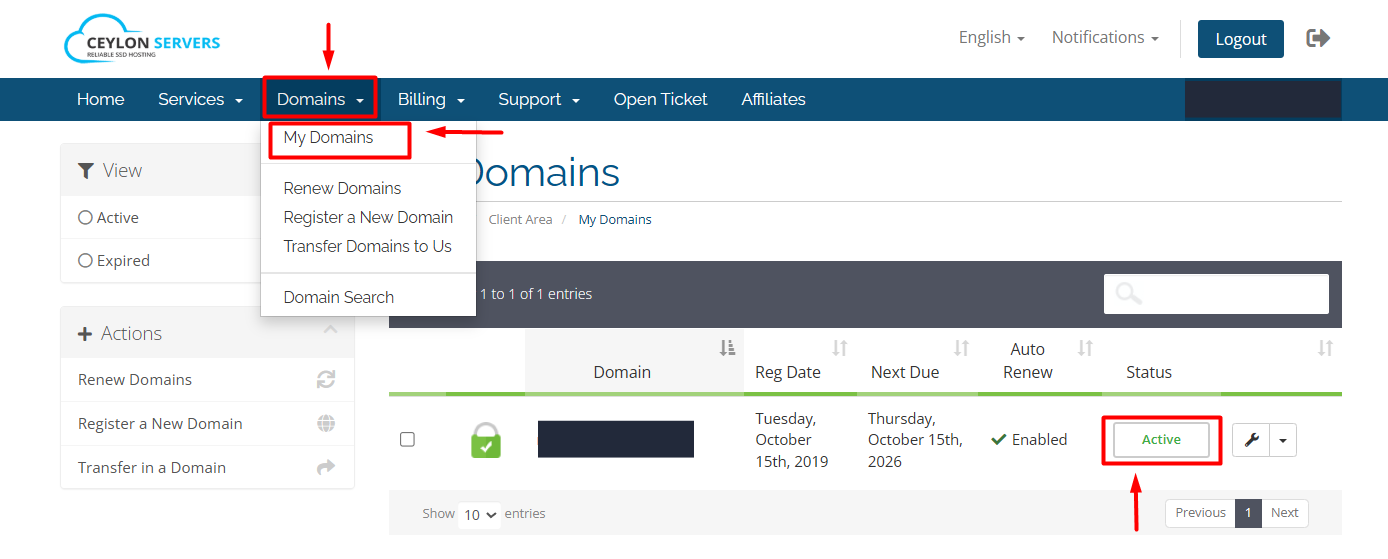
- Click on the "Domains" tab and select "My Domains".
- Locate the domain you wish to transfer and click the Wrench Icon or the "Active" button.
Step 3: Disable Registrar Lock
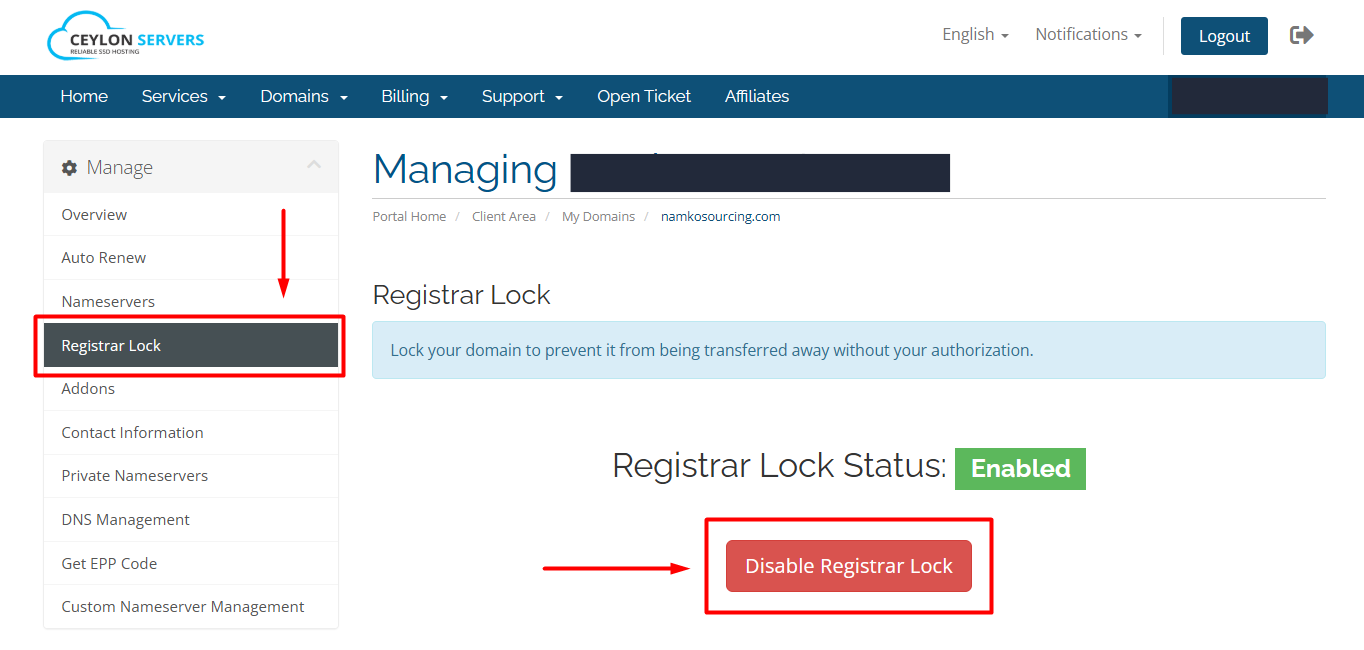
- Before you can see or use your EPP code, you must unlock the domain:
- On the left-hand sidebar, click on "Registrar Lock".
- If it is enabled, click the "Disable Registrar Lock" button.
Step 4: Retrieve the EPP Code
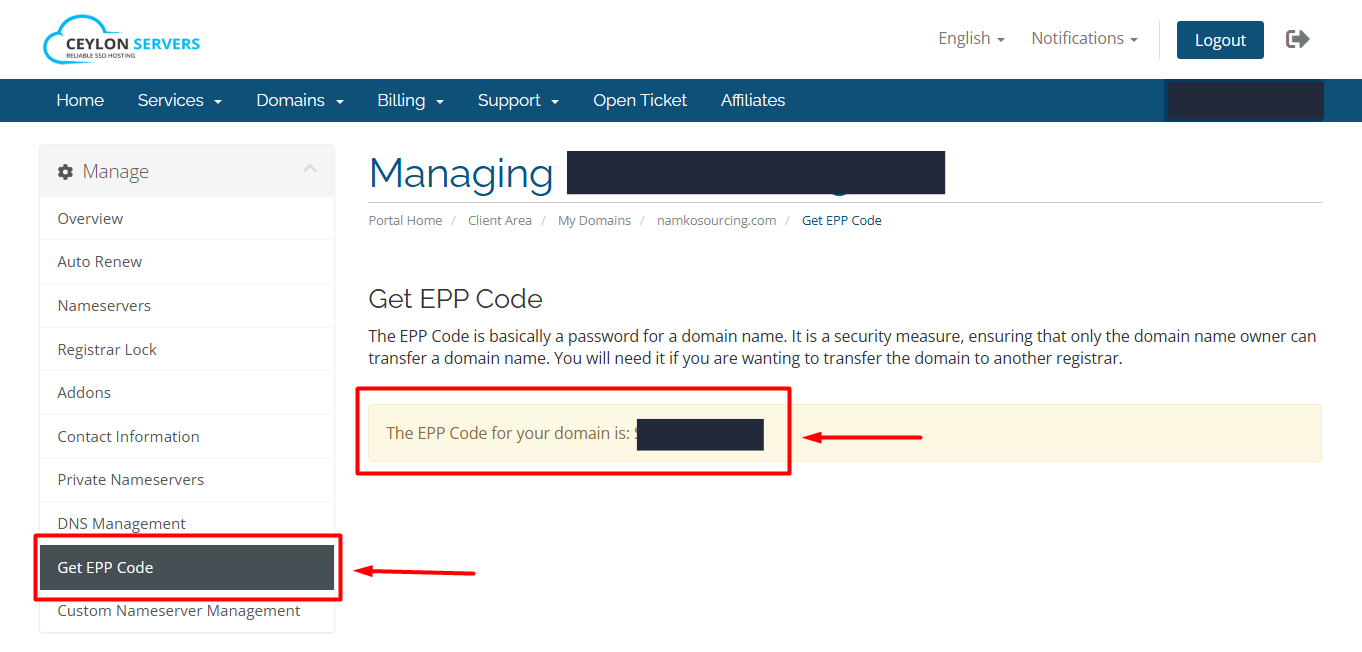
- Once the domain is unlocked, look for the "Get EPP Code" link in the left-hand sidebar menu.
- Clicking this link will display your unique EPP/Auth Code on the screen.
- Copy this code carefully. You will need to provide it to your new registrar to start the transfer.
Important Things to Note
- Email Verification: Ensure your registrant email address is up to date, as some transfer approvals are sent via email.
- 60-Day Rule: Per ICANN regulations, you cannot transfer a domain that was registered or previously transferred within the last 60 days.
- Privacy Protection: If you have ID Protection enabled, you may need to disable it temporarily so the new registrar can verify the ownership information.
- Pro-Tip for Security: Only share your EPP code with a trusted registrar. Once the transfer is complete or if you decide not to move the domain, it is best practice to re-enable the Registrar Lock to prevent unauthorized changes.
Need Assistance? If the EPP code does not appear or you encounter an error, please open a Support Ticket in the dashboard, and our team will provide the code for you.