
Guide to Filling the .LK Domain Registration Form
This guide will help you fill out the required details correctly when registering a .LK domain. Please note that all fields marked with an asterisk (*) are mandatory.
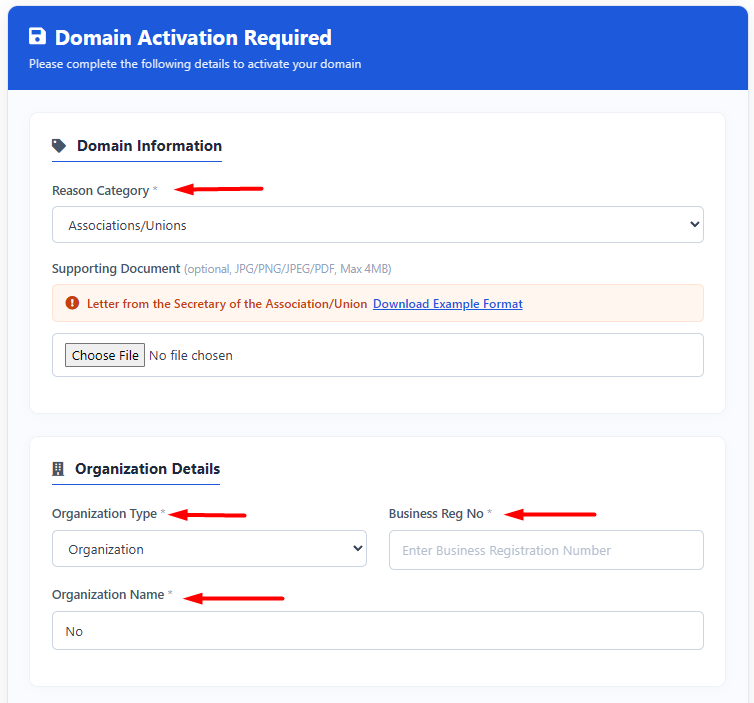
1. Domain Information
- Reason Category : Select the purpose for getting this domain (e.g., Business, Personal, Associations/Union, School).
- Supporting Document (Optional) : Upload required documents based on your selected 'Reason Category' (e.g., a letter from the secretary for associations, unions, or schools).
2. Organization Details
- Organization Type : Select the type of your organization (e.g., Organization or Personal).
- Business Reg No : Enter your business registration number.
Note: If your business is not yet registered, you can type "Not Registered" or "Registration Pending". - Organization Name : Enter the name of your business or organization.
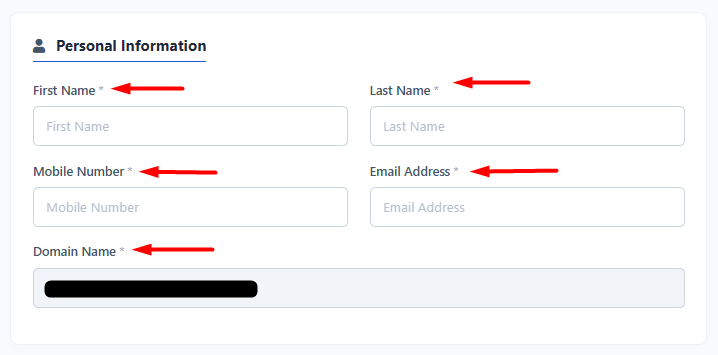
3. Personal Information
- First Name : Enter your first name.
- Last Name : Enter your last name.
- Mobile Number : Enter your active mobile phone number.
- Email Address : Enter a valid email address that you use frequently.
- Domain Name : The .LK domain name you want to register will be displayed here.
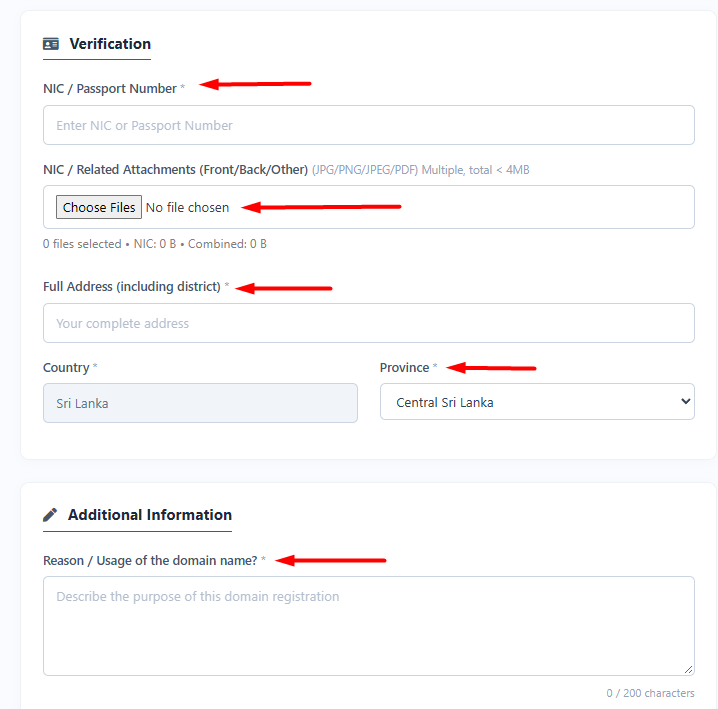
4. Verification
- NIC / Passport Number : Enter your valid National Identity Card (NIC) or Passport number.
- NIC / Related Attachments : Upload clear front and back images of your NIC or relevant identification document in PDF format
- Full Address : Enter your complete residential or business address, including the district.
- Country : "Sri Lanka" is selected by default.
- Province : Select your province from the drop-down menu.
5. Additional Information
- Reason / Usage of the domain name? : Briefly describe the purpose of registering this domain (e.g., to build a website, to use for business emails).
Once you have filled in all the information correctly, submit the form.
Important Note : After submitting the form, please do not close or refresh the page. Kindly wait until the page refreshes automatically.
Need Help : If you face any issues or have any questions regarding the domain registration form submission, please contact our support team: https://manage.ceylonservers.com/submitticket.php